
Quick answer: LED screen flickering visible to the eye usually comes from loose cables, unstable power, faulty receiving cards or wrong configuration. Flicker or scan lines seen only on camera are caused by a refresh rate that is too low for the camera shutter; use 3,840 Hz or higher and adjust camera shutter settings.
Screen flickering is one of the most frustrating LED display problems because it may appear only under certain conditions.
In many cases, the screen may look completely normal to the human eye while still flickering heavily on camera.
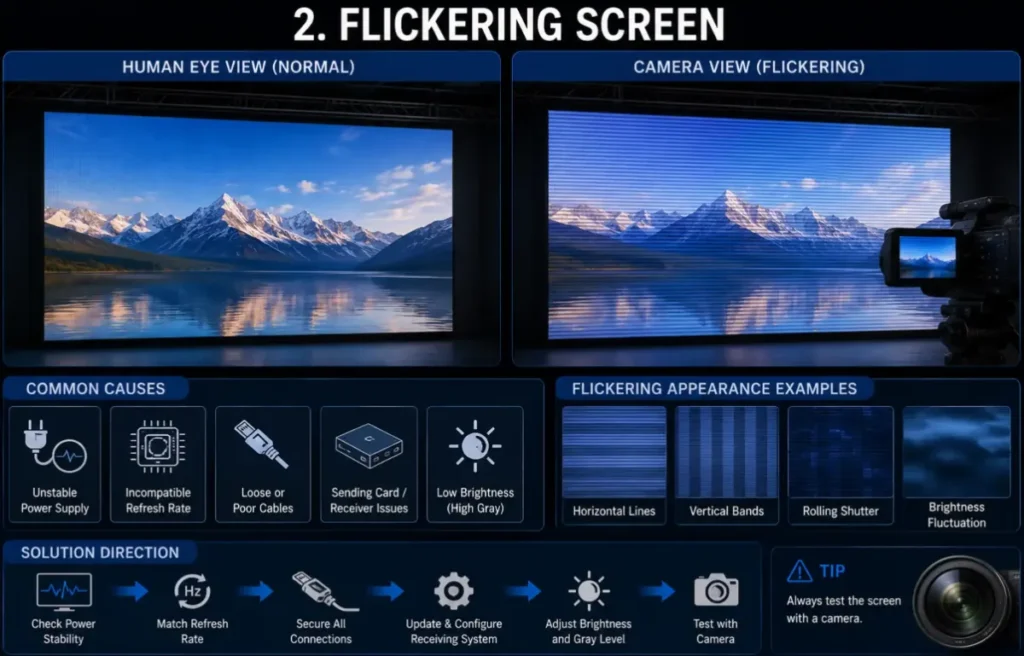
Why Flickering Happens
Flickering may be caused by:
- low taxa de atualização
- unstable signal transmission
- instabilidade de energia
- driver IC problems
- grounding issues
- synchronization mismatch
Isto torna-se especialmente crítico em:
- Estúdios XR
- ambientes de transmissão
- transmissão em direto
- conference recording
- esports events
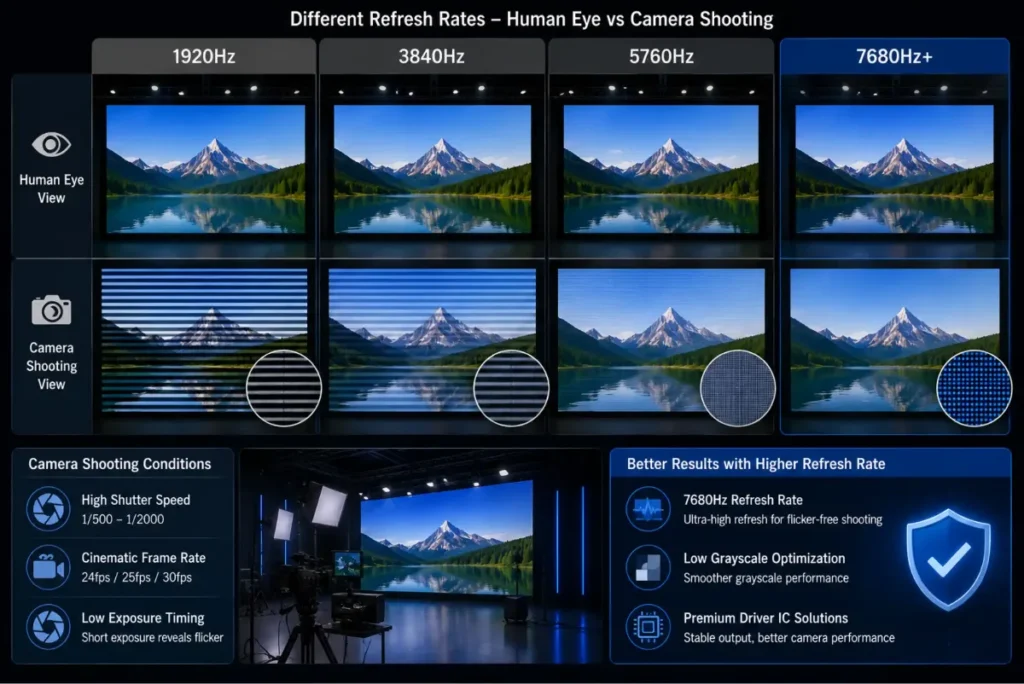
Why Camera Shooting Makes Flickering Worse
Modern cameras often use:
- velocidade de obturação elevada
- taxas de fotogramas cinematográficas
- low exposure timing
This may reveal flickering that is invisible during normal viewing.
This is why many XR and broadcast environments now require:
- Taxa de atualização de 7680 Hz
- otimização de tons de cinza baixos
- premium driver IC solutions
Why Power Quality Also Matters
In some outdoor projects, unstable electrical infrastructure may create:
- voltage fluctuation
- grounding interference
- instabilidade do sinal
These problems may eventually cause intermittent flickering.
Isto é especialmente comum em:
- temporary events
- festivais ao ar livre
- produções em digressão
- developing market installations
DDW Engineer Notes: LED screen flickering
Many customers initially assume flickering is caused only by refresh rate.
In reality, LED flickering is often the result of multiple systems interacting together, including:
- signal chain
- camera settings
- power quality
- driver IC architecture
Professional troubleshooting should always analyze the entire display system, not only one specification.
Flicker Troubleshooting
| Symptom | Likely Cause | What to Do |
|---|---|---|
| Visible flicker in one area | Loose data or power cable | Reseat connectors; check receiving card |
| Whole screen flickers | Unstable power or config error | Check mains voltage; reload config |
| Scan lines only on camera | Low refresh rate | Use 3,840 Hz+; match camera shutter |
| Flicker at low brightness | Low grayscale performance | Upgrade driver ICs or adjust gamma |
FAQ
Why does my LED screen flicker on camera?
The LED refresh rate is too low for the camera’s shutter speed. High-refresh (3,840 Hz+) LED screens and correct shutter settings fix it.
Can loose cables cause LED flickering?
Yes. Loose data or power connectors are one of the most common causes of visible flicker.
Does brightness affect LED flicker?
At very low brightness, screens with poor grayscale may flicker or band; better driver ICs help.
Related LED Display Guides
- LED screen refresh rate
- LED receiving card problems
- LED display signal loss troubleshooting
- Common LED display errors and fixes
Recommended DDW products: ORBIT XR Series XR LED wall · D Series rental LED screen