
Quick answer: Dead pixels on LED displays are LEDs that stay off, stay on or show the wrong color. They are caused by physical impact, moisture, heat, poor soldering or driver IC faults. Single pixels can be repaired or the module replaced; COB and GOB technologies greatly reduce dead pixels in rental and fine-pitch screens.
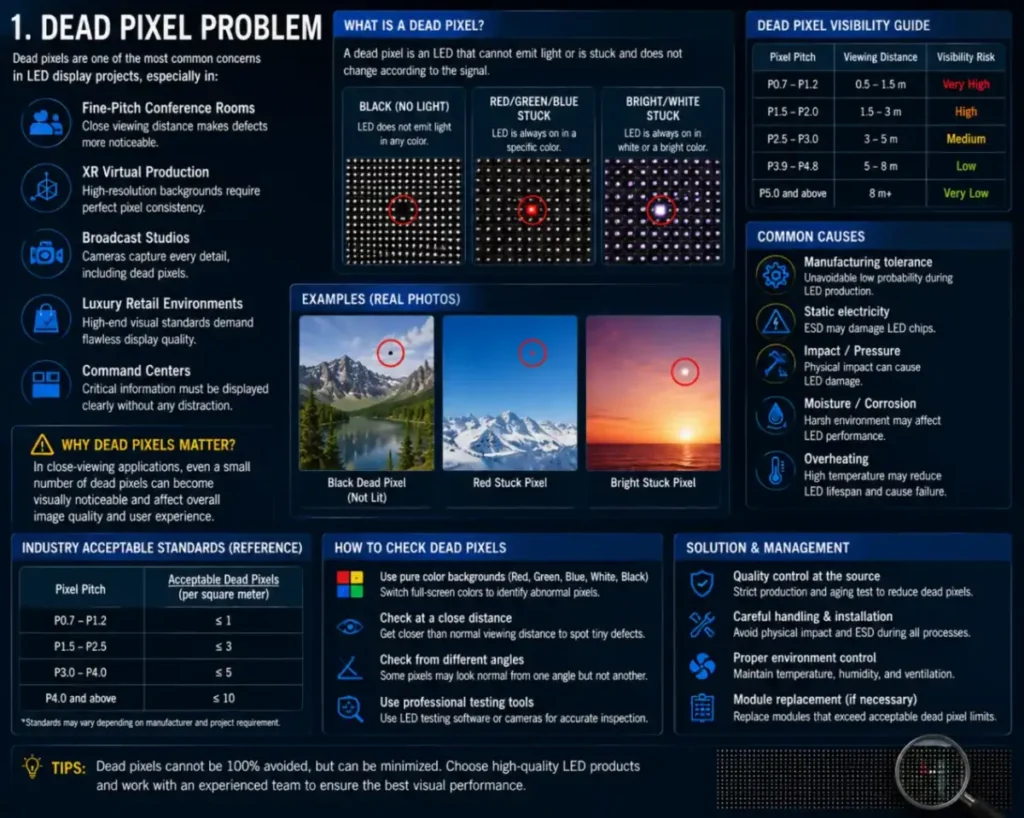
Dead pixels are one of the most common concerns in LED display projects, especially in:
- Konferenzräume mit engmaschiger Anordnung
- XR-Virtual-Production
- Fernsehstudios
- Luxus-Einzelhandelsumgebungen
- Kommandozentralen
In close-viewing applications, even a small number of dead pixels can become visually noticeable.
What Actually Causes Dead Pixels
Many customers assume dead pixels are caused only by defective LEDs.
In reality, dead pixel problems may come from:
- LED lamp failure
- driver IC issues
- soldering instability
- impact damage
- Feuchtigkeit corrosion
- Überhitzung
- Transportvibrationen
This is why the root cause should always be analyzed before replacing modules.
Why Rental Projects Often Experience More Dead Pixels
Rental LED systems continuously experience:
- transportation
- Vibration
- wiederholte Installation
- collision risks
This creates much higher physical stress compared with fixed installations.
That is why rental systems increasingly use:
- GOB protection
- reinforced modules
- anti-collision cabinet design
DDW Engineer Notes: LED display dead pixels
Many dead pixel issues are not caused by manufacturing defects.
Improper transportation, overheating, moisture exposure, and rough installation practices are often the real causes behind long-term pixel failures.
In high-end projects, preventive maintenance is usually more effective than repeated emergency repairs.
Dead Pixel Types and Fixes
| Symptom | Likely Cause | What to Do |
|---|---|---|
| Single dark pixel | LED damaged by impact or moisture | Repair LED or replace module |
| Whole row or column dark | Driver IC or data line fault | Replace module |
| Pixel always on | Short circuit | Replace LED or module |
| Many dead pixels after storage | Moisture | Preheat gradually; improve storage |
FAQ
How many dead pixels are acceptable on an LED display?
Industry standards typically allow a very small rate (often around 1 in 10,000 or less), but quality screens aim for zero visible dead pixels.
Can dead pixels on an LED screen be repaired?
Yes. Technicians can replace individual LEDs on SMD modules or swap the whole module.
How do I prevent dead pixels?
Handle modules carefully, control humidity, preheat after storage and consider COB or GOB for high-risk applications.
Related LED Display Guides
- How to replace an LED display module
- LED display moisture protection
- COB LED display technology
- Common LED display errors and fixes
- LED display repair cost and warranty
Recommended DDW products: KCOB Series COB LED video wall · ORBIT XR Series XR LED wall